وكيل الذكاء الاصطناعي














The problem
Your WhatsApp is a sales channel run by copy-paste
The same six questions come up throughout the day: price, sizes, stock, delivery cost, delivery time, and "is it still available?". Your team answers each one manually, from a notes file, in whatever order the notifications arrive.
Then there is the second job nobody has time for. A customer asks about a product, gets an answer, and goes quiet. Someone was supposed to check back. Nobody did, there were forty other threads that day.
So WhatsApp becomes a channel with real buying intent and no system behind it. Fast when the team is free, slow when they’re busy, and silent after hours
Automating WhatsApp is not about sending that thread. It is about the reply that arrives in two minutes and the follow-up that actually happens.
What it costs
Forgotten follow-ups are the cheapest revenue you are not collecting
A customer who already messaged you has done the expensive part. You paid to reach them, they reached out and told you what they wanted. Following up with that person costs a fraction of what it costs to acquire a new one and it only happens if someone remembers to do it.
Manual WhatsApp has a hard ceiling. It works as long as the volume remains low, then reply times get longer, follow-ups stop entirely, and the channel quietly performs worse in the exact weeks you are spending most on ads.
Conversations that just stop
A buyer goes quiet after a price question. That thread is closed revenue nobody ever counted.
Answers typed twice a hundred times
Repetitive price, stock and delivery replies consume the day your team should spend on complicated cases.
Nights, weekends and holidays
WhatsApp buying intent peaks outside working hours, when a manual inbox has nobody in it.
Broadcasts that burn the list
Untargeted blasts raise the risk of reports, and reports damage the quality rating of your WhatsApp account.
The better version
The same conversation, automated properly
Nothing changes about the customer or the product. What changes is that every message gets an answer, and every quiet thread gets exactly one intelligent nudge.
21:40
A customer messages your WhatsApp Business number asking if an item is in stock.
21:41
The agent checks the synced catalog, confirms the variant, and sends the product image.
21:44
She asks about delivery. It answers from your stated delivery policy, then creates the order in the chat.
Next morning
A different buyer went quiet instead. After the silence window you set, one follow-up goes out, never twice, and never if he already ordered.
Within 7 days
Any order that follows is reported as attributed revenue, so you can see what the automation earned.
The solution
Unifunl automates WhatsApp as a sales channel, not as a mailer
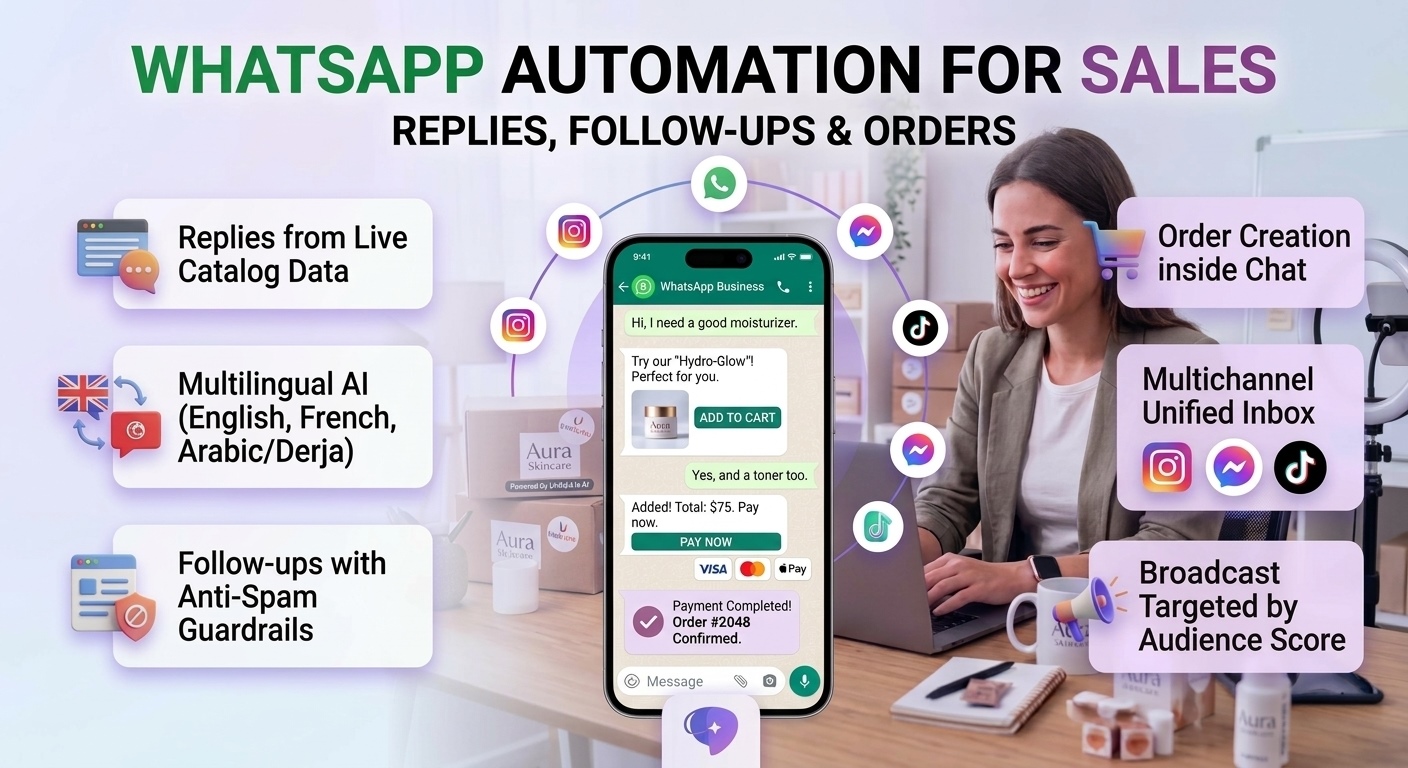
Unifunl runs on the WhatsApp Business Platform. You link your WhatsApp Business account , connect your store, and the agent starts handling conversations in the same inbox as Instagram, Messenger, TikTok and your website chat.
Three automations do the work: the AI agent replying and taking orders in real time, follow-ups that re-engage silent conversations, and broadcast campaigns targeted by purchase-probability score rather than blasted at everyone.
You configure it in plain language, store details, promotions, delivery and return policies, tone, plus explicit "always do" and "never do" rules and test it privately in Live Test before a single customer sees it.
How it works
How to automate WhatsApp in about fifteen minutes
Connect WhatsApp
Link your existing WhatsApp Business account, or register with new number.
Sync your store
WooCommerce, Shopify, PrestaShop, Magento, Odoo, Salla, Converty or your Custom Store. Products, prices, variants and stock are pulled in and indexed automatically.
Brief the agent
Set store info, promotions, delivery and return policies, persona, languages, and escalation rules by form or by describing the change to Copilot.
Test before going live
Live Test lets you message the agent with text, image or voice exactly as a customer would, before you switch it on.
Automate the follow-up
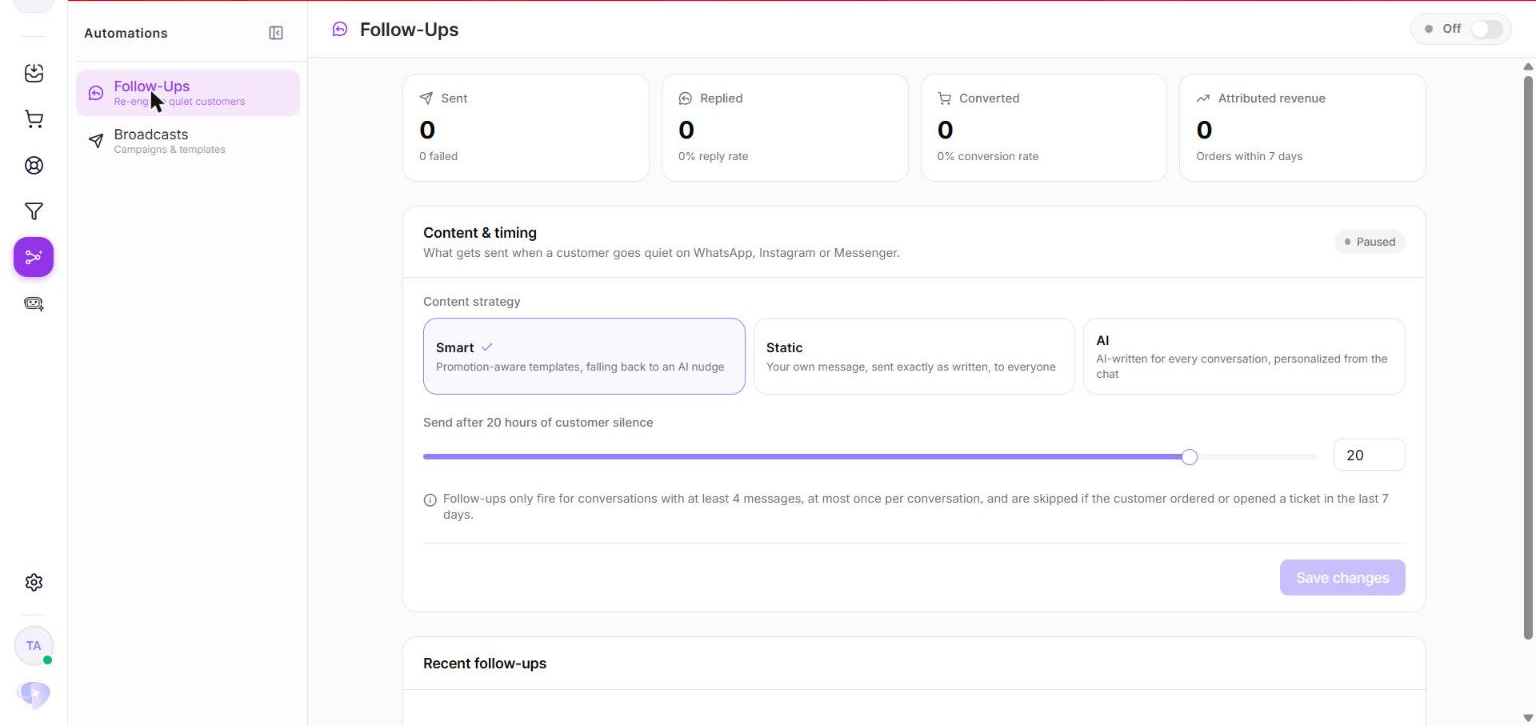
Pick a strategy and a silence window. A 20-hour delay is a reasonable starting point.
Add broadcast campaigns
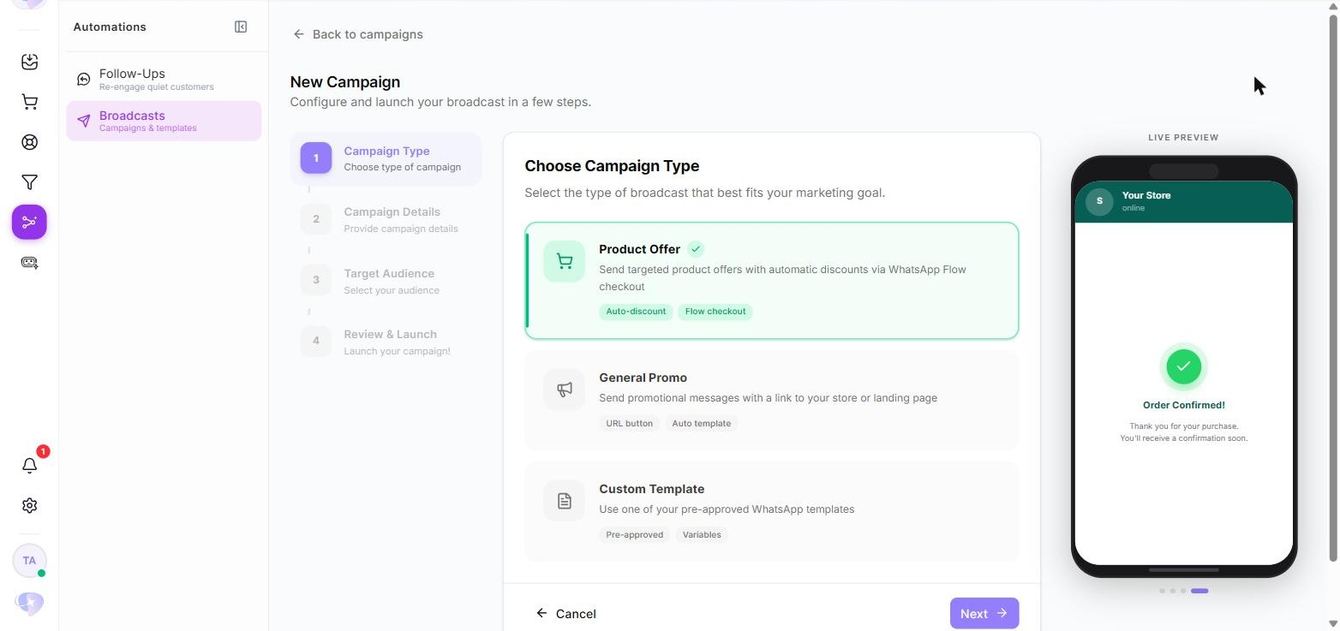
Run Product Strategy campaigns to an audience built from purchase-probability scoring.
Capabilities and impact
What WhatsApp automation actually changes in the business
01Automated replies from live catalog data
The agent answers price, stock, variant and delivery questions from your synced store data rather than from a saved reply.
The six repetitive questions stop reaching your team at all.
02Orders created inside whatsapp chat
When the buyer is ready, the order is created in the conversation and pushed to your connected store.
No link-out step, and no cart abandoned between the chat and the checkout page.
03Follow-ups with anti-spam guardrails
A follow-up only fires on conversations with at least four messages, at most once per conversation, and never if the customer ordered or opened a ticket in the last 7 days.
You recover quiet conversations without becoming the brand people block.
04Broadcasts targeted by purchase probability
Audiences are scored on purchase history, products discussed, past campaign engagement and recency.
Campaigns go to the people most likely to buy, protecting your Meta quality rating.
05In-chat checkout on campaigns
Product Offer campaigns combine a targeted product, an automatic discount and checkout inside WhatsApp Flow.
A promotion becomes an order without the customer ever leaving the thread.
06Speaks your customers’ language
English, French, Arabic, Tunisian Derja, Moroccan and Algerian, in Latin or Arabic script, including messages that mix several languages at once.
Your customers write the way they always have, and still get a correct answer.
07Handoff without switching automation off
AI Autopilot is per conversation, so a human takes one chat while the agent keeps running everywhere else. Angry customers, refund or dispute requests and high-value orders escalate on rules you set.
Automation covers the volume, your team keeps the judgement calls.
08Every conversation scored as a lead
Contacts move automatically from New to Warm, Hot and Converted as intent builds.
Your team works the hottest leads first, and your campaign audiences build themselves.
Proof
Brands running their WhatsApp on automation
These are Unifunl customers whose DMs — WhatsApp included — are handled by an AI agent on their own catalog. Each story explains what changed operationally, not just the headline number.
100+
Orders a day through DMs
We doubled our sales going from 0 to 100+ orders a day — just through DMs, with no new hire. The AI replies in under 2 minutes.
WeePops
Founder, WeePops
Read the story40%
Conversion rate on DMs
I’m no longer thinking about hiring new salespeople. We grew orders 30% and conversion is at 40%, with 70% less agents.
Brazilian Glow
Siwar — CS Director, Brazilian Glow
Read the story30–40%
Conversion rate on DMs
The AI now replies like a real product advisor in under a minute, converts 30–40% of DMs and lifted our average order by 30%.
SF Nutrition
Operations, SF Nutrition
Read the storyWhy this and not a WhatsApp inbox tool
Most WhatsApp automation stops at the reply
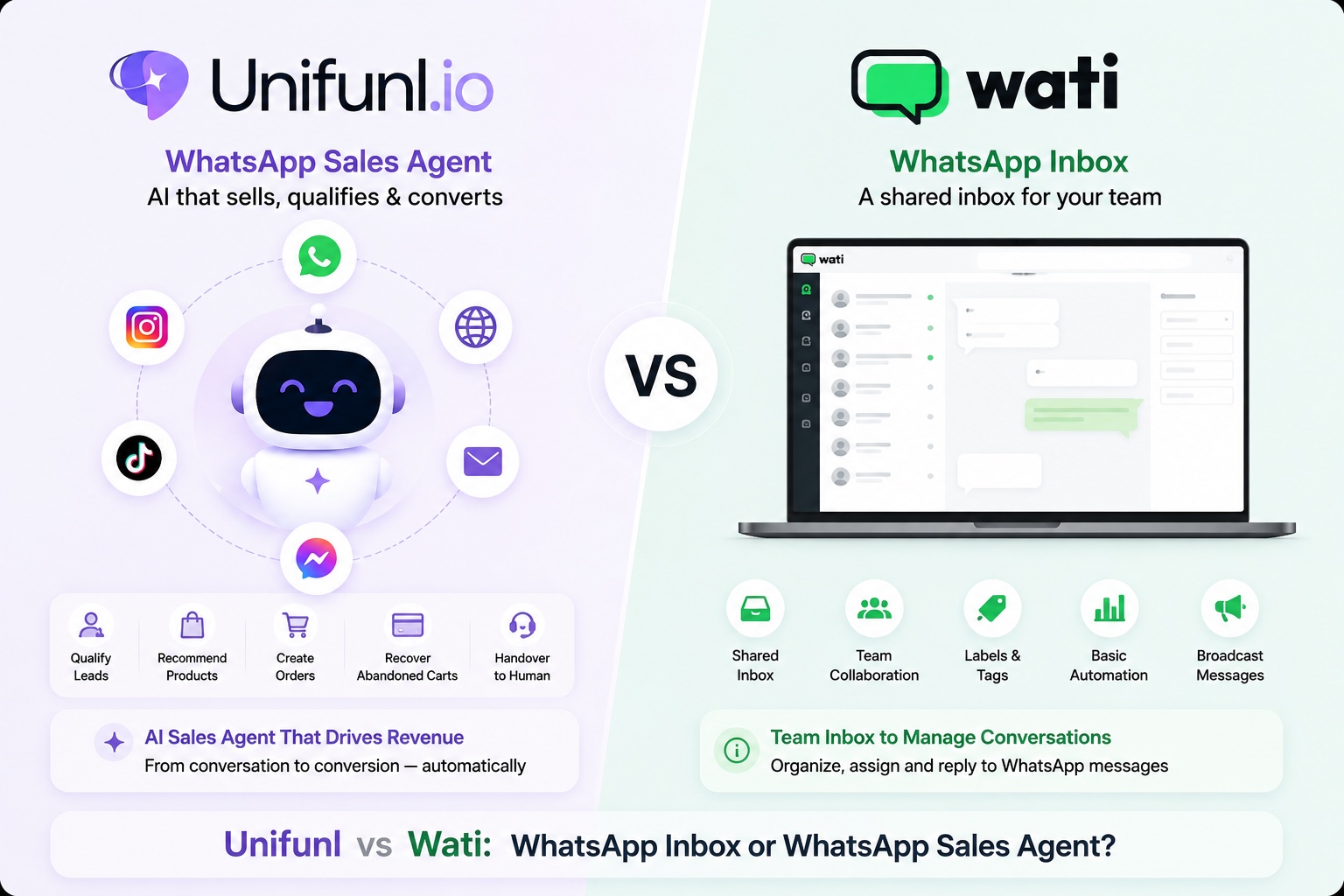
A shared WhatsApp inbox with predefined replies and keyword triggers automates typing. It still needs a person to check stock, quote the delivery terms, decide what to recommend and the part that always slips, remember the follow-up.
Unifunl automates the sale itself. The agent reasons over your live catalog, creates the order, re-engages silent buyers under strict guardrails, and reports the revenue those follow-ups produced within 7 days.
Keyword and template automation
- Triggers on keywords and canned replies
- Cannot see live stock, variants or prices
- Follow-up depends on someone remembering
- Reports messages sent, not revenue earned
Unifunl WhatsApp sales automation
- Reasons over your synced catalog data
- Creates the order inside the conversation
- Follows up automatically, once, with guardrails
- Reports orders and attributed follow-up revenue
Measurement
Automation you can actually put a number on
Follow-ups report Sent, Replied, Converted and attributed revenue. Broadcasts report recipients, sent, delivered, failed, read, replied and converted.
Order analytics adds revenue, average order value, completion and cancellation rate, changes over time and a product ranking, exportable as a PDF report.
The Usage page reports conversations, generated orders, average credits per conversation and average credits per order, so "is the automation worth it?" becomes a simple calculation instead of an argument.